
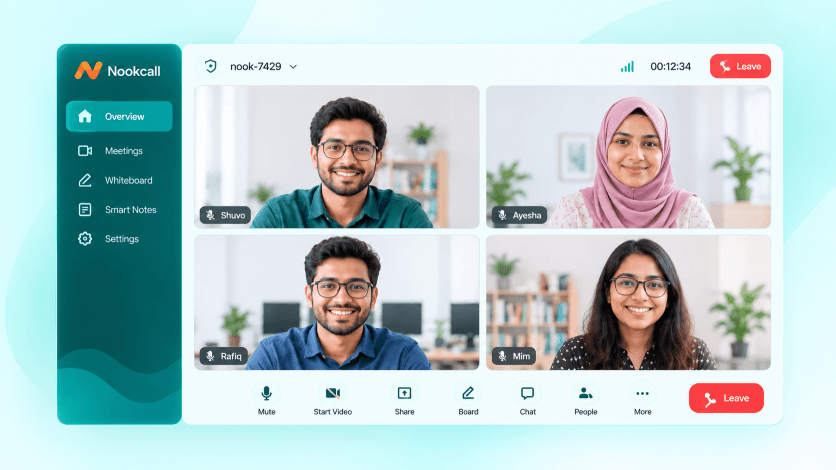
NOOKCALL ENTERPRISE
Everything in Free, Plus the Tools Organisations Need
01
Meeting scheduling
Schedule one-off or recurring meetings and send calendar invites to Google and Outlook.
02
Guest invitations
Invite people by email or WhatsApp with a personal link, RSVP tracking and reminders.
03
Waiting room & passcodes
Hosts admit guests one by one, and rooms can be locked with a passcode.
04
Cloud recording
Record meetings and classes to the cloud and share them with a link.
05
Webinars & large meetings
Host big audiences with presenter and attendee roles, Q&A and hand raise.
06
Breakout rooms
Split a meeting or class into smaller groups and bring everyone back.
COMPARE PLANS
Free or Enterprise
FEATURE
FREE
৳0
ENTERPRISE
Custom quote
Instant video calls
✓
✓
No signup to join
✓
✓
Time limit
None
None
Peer-to-peer file sharing
✓
✓
Meeting scheduling & calendar invites
—
✓
Guest invitations & reminders
—
✓
Waiting room & passcodes
—
✓
Cloud recording
—
✓
AI summary, transcript & action items
—
✓
Video SDK & API
—
✓
Admin dashboard & SSO
—
✓
Custom branding & domain
—
✓
On-premise hosting
—
✓
Support
Community
Priority, local team
HOW IT WORKS
Three Steps to a Call
01
Create a link
Open nookcall.com and start a call instantly.
02
Share the link
Send it over WhatsApp, email or SMS.
03
Start talking
Everyone joins from the browser and you talk face to face.
QUESTIONS
Common Questions About Nookcall
No. Nookcall runs in the browser. Create a call, share the link, and everyone joins without signing up or downloading anything.
No. Nookcall calls have no time limit.
Yes. Files are shared peer to peer between participants in the call.
Yes, video calls on nookcall.com are free. Enterprise adds scheduling, guest invitations, AI summaries, the video SDK and admin controls, priced by number of hosts and hosting type.
A toolkit that lets your developers add Nookcall video and audio calls inside your own website or mobile app, with your branding. It is part of the Enterprise plan.